


Deep Think - AI Seek Chatbot
4.8751.00 Reviews
App Specs
- Version
- 2.9.5-26081987
- Updated On
- License
- Free
- Downloads
- 5,000,000+
- Developer
- Guru AI Lab
- Categories
- Productivity
- Platform
- Android, iOS
Screenshots

 Analysis by AppCompare
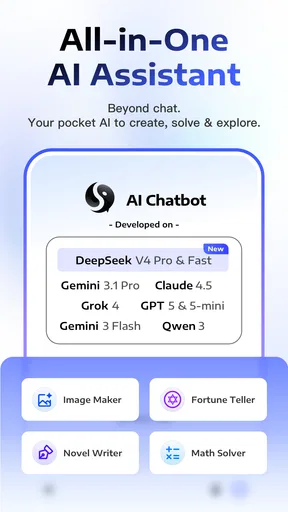
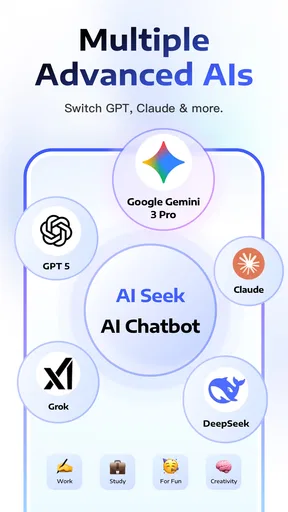
I find Deep Think - AI Seek Chatbot most useful when I treat it as a flexible assistant for thinking and drafting, not as an authority whose first answer should settle a question. The app is built around several well-known AI models, including Gemini 3 Pro, Grok, Claude and DeepSeek-V3.2, which gives it a broad problem-solving pitch. In practice, the value is less about collecting model names and more about having a place to ask, refine and check ideas. If you want quick help with a blank page, a confusing topic or a first draft, it may fit naturally into your day.
Where a promising chat can get stuck
The main friction with any open-ended AI chat is often not the interface but the question itself. A broad request such as “help me plan my week” can produce advice too general to act on. I get better results when I give the chatbot a real constraint: a fixed appointment, a short time window or a specific outcome. For example, asking for a simple plan to prepare for a meeting in twenty minutes is more useful than asking for productivity tips in general.
Follow-up questions matter, too. If an answer misses the point, I would not restart with the same wording and expect a different result. I would say what is wrong, identify the part worth keeping and request a narrower revision. That turns a vague exchange into a practical editing process. The trade-off is that it asks you to guide the conversation; this is not a substitute for knowing what you want to accomplish.
Setup checks that save time
Before relying on a chatbot for an important task, I recommend starting with a small, low-stakes prompt and checking that the response is relevant. Then try a follow-up that depends on the first answer. This gives you a feel for whether the conversation is staying on track before you put time into a longer piece of work. If the reply feels generic, add context and specify the format you need, such as a short outline, a comparison or a plain-language explanation.
It is also sensible to separate brainstorming from fact-checking. An AI can help you list questions to investigate, organize notes or explain a concept in simpler language, but confident phrasing is not proof that a claim is correct. For health, legal, financial or other consequential decisions, I would use the chat to prepare and clarify, then check the important details with a reliable source or qualified person.
Recovering a workflow when a reply misses
A useful way to work with Deep Think is to treat each response as a draft rather than a finished result. If you are writing an email, for instance, ask for a first version, then tell it who the recipient is and what tone you want. After that, check names, dates and any promises before using the text. This small review step can prevent an answer that sounds polished from slipping in an assumption you never intended.
For a complex request, I would split the job into stages: ask for an outline, correct the direction, then request one section at a time. That makes it easier to spot where the output goes wrong and reduces the temptation to accept a long answer simply because it looks complete. When a reply is still off, restate the goal in simpler terms and include one example of the kind of result you want. The app is most helpful when you stay in the loop.
Worth Reading Before You Choose

EA SPORTS FC Mobile 26 Is a Bigger Football Game, but It Takes Time

Flipboard Shows What News Apps Must Do Beyond the Feed

Switching to Android Auto Means Rethinking Your Driving Routine

Google Calendar Makes a Crowded Week Easier to Manage

Ludo King Makes the Most of the Minutes Between Plans

Baby Panda World Brings Quick Play to Modern Phones, but Its Game Library Feels Busy
When another tool is the better choice
This app belongs to the productivity side of AI chat, but it does not replace every tool in that space. A conventional notes app is usually better for storing material you need to retrieve exactly as written. A search engine is often better when you need to inspect sources yourself, while a dedicated writing editor is a stronger choice for managing a long document with careful formatting. I would use this chatbot to get unstuck, explore alternatives or turn rough notes into a starting point, then move the result into whichever tool handles the next step best.
It may also be the wrong fit if you need predictable, repeatable output without reviewing it, or if you do not want to interact with an AI conversationally. A chatbot can be less direct than a simple calculator, checklist or template for routine tasks. Its flexibility is useful when a problem needs explanation or iteration; for a fixed operation, a purpose-built tool is usually quicker.
A realistic use during a busy day
Imagine that I have a short gap before a meeting and a handful of rough notes. I can ask the chatbot to group them into decisions, open questions and items to raise, then request a concise agenda. I would compare the result with my notes, remove anything it inferred and keep only the points I actually need. The practical benefit is not that the app knows what happened in the meeting; it is that it can help me shape scattered thoughts into a usable structure.
The same approach works for everyday writing. If I need to explain a change of plans politely, I can ask for a clear draft and then adjust it so it sounds like me. I would avoid pasting sensitive personal or work details unless I was comfortable doing so, and I would always check the final wording before sending. This kind of bounded task plays to the strengths of a chat interface without asking it to make a decision on my behalf.
For a learning task, I might ask it to explain an unfamiliar idea, then request a simple example and a short list of questions I should be able to answer afterward. That is more useful than reading an answer passively because it gives me a way to test whether I understood. If the explanation seems questionable, I would verify the core claims elsewhere rather than treating fluency as accuracy.
Who is likely to enjoy it
I can see this app suiting people who want one conversational place for brainstorming, plain-language explanations and early drafts. It is especially handy if you like to refine a request through follow-ups rather than searching through menus for a specialized feature. Students can use that style to generate study questions or clarify a difficult passage, while freelancers and office workers may find it useful for outlining messages and organizing ideas. In each case, the user still needs to review the output and make the final call.
I would steer away from it if your main need is a guaranteed factual answer, a durable archive of notes or a tool that performs a tightly defined task with no back-and-forth. It is also a poor choice for anyone who expects every response to match their intent on the first try. The app can help you think, but it cannot remove the need to judge whether an answer is relevant, accurate and appropriate for its audience.
Getting Started with Deep Think
First things first, downloading and setting up Deep Think is a breeze. Available on Android and iOS, you can find it through the usual app stores. Once installed, you’re greeted with a sleek, minimalistic interface that just feels right. No unnecessary clutter, just you and your AI buddy ready to dive deep into conversations.
Chatting with the Chatbot
So, what’s the chat experience like? Well, it’s surprisingly engaging. The AI chatbot is designed to handle a multitude of topics, from philosophical musings to the latest pop culture trends. I threw some random questions at it, like “What’s the meaning of life?” and “Tell me a joke,” and it handled them with a mix of seriousness and humor. It’s like having a friend who’s always up for a chat, no matter the mood.
The app uses advanced AI algorithms to provide responses that are both relevant and insightful. It feels like the bot learns from you the more you interact, adapting its responses based on previous conversations. Pretty neat, right?
Features That Stand Out
One of the standout features is the chatbot’s ability to personalize interactions. As you chat more, it picks up on your preferences and conversation style. This personalization makes the experience feel less robotic and more like a genuine dialogue.
Another cool feature is the app’s integration with external knowledge bases. Need to know the weather or the latest news? Just ask, and the chatbot pulls up-to-date information for you. It’s like having a personal assistant in your pocket.
"The app’s sleek design and intuitive interface make it easy to lose track of time while chatting away."
What I Loved About It
I really appreciated the app’s commitment to user privacy. In a world where data is gold, the app ensures that your conversations stay private. No data sharing with third parties is a big plus in my book.
Moreover, the chatbot’s accessibility features are commendable. With options for text-to-speech and adjustable font sizes, it caters to users with different needs, making it a truly inclusive app.
Room for Improvement
Now, no app is perfect, and Deep Think has its quirks. Occasionally, the chatbot can provide responses that feel a bit off or generic, especially with more complex questions. However, given its learning capabilities, I’m optimistic that these hiccups will become less frequent over time.
Also, while the app is free to download, some advanced features are locked behind a subscription paywall. I get it, developers need to eat too, but it’s something to keep in mind if you’re hoping to access all the bells and whistles without spending a dime.
The Practical Verdict
Guru AI Lab’s productivity app has a 4.7 average from around 54,000 ratings, and it has passed one million installs. It is free to download, rated for Everyone, and includes optional in-app purchases ranging from $6.99 to $99.99 per item. It was released on January 22, 2025, and version 2.6.2-26021160 supports Android 7.0 and later. Those details make it easy to judge the basic commitment, but I would still start with a modest task and see whether the conversation style suits you before making the app part of a regular routine.
Overall, Deep Think - AI Seek Chatbot is a solid choice for anyone looking to explore AI conversations. Its intuitive design, engaging chat features, and commitment to privacy make it a standout in the crowded world of chatbots.
If you’re curious about AI or just want a digital companion to chat with, give Deep Think a try. Who knows, you might find yourself having deeper conversations than you’d ever expect with a chatbot!
Pros
- Intuitive user interface for easy navigation.
- Quick response times enhance user experience.
- Supports multiple languages seamlessly.
- Offers personalized conversation suggestions.
- Regular updates improve functionality.
Cons
- Limited free features available.
- Subscription model can be pricey.
- Occasional connectivity issues.
- Privacy concerns with data handling.
- Lacks integration with some popular apps.
FAQs for Deep Think - AI Seek Chatbot
What is Deep Think - AI Seek Chatbot?
Deep Think - AI Seek Chatbot is an advanced AI-powered application designed to assist users with a variety of tasks. It can answer questions, provide recommendations, and engage in natural language conversations. Its AI capabilities make it versatile for both casual use and more intensive problem-solving scenarios.
How does Deep Think ensure user privacy and data security?
Deep Think prioritizes user privacy and data security by implementing robust encryption protocols. All user interactions are confidential, and the app does not store personal data longer than necessary. Additionally, users have control over what information they choose to share with the chatbot.
Is Deep Think available on both Android and iOS platforms?
Yes, Deep Think - AI Seek Chatbot is available for download on both Android and iOS platforms. Users can find it on the Google Play Store for Android devices and the Apple App Store for iOS devices. It is optimized for a smooth experience on both operating systems.
What features does Deep Think offer to enhance user experience?
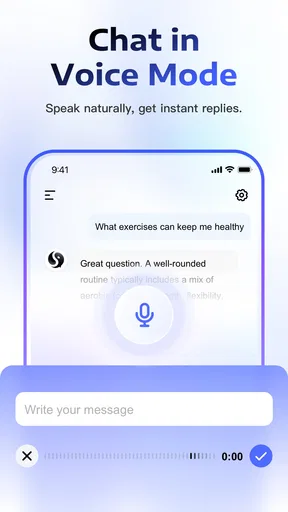
Deep Think offers a range of features including voice recognition, multilingual support, and integration with other apps for seamless functionality. Users can customize their interactions and receive personalized responses based on their preferences. The app is designed to be user-friendly and intuitive.
Are there any subscription fees or in-app purchases in Deep Think?
Deep Think offers both free and premium versions. The free version provides basic features, while the premium version unlocks advanced functionalities and removes ads. Users can choose a subscription plan that best fits their needs, with options for monthly or annual payments.


